| Method | What you do | Needs internet? | What you get |
|---|---|---|---|
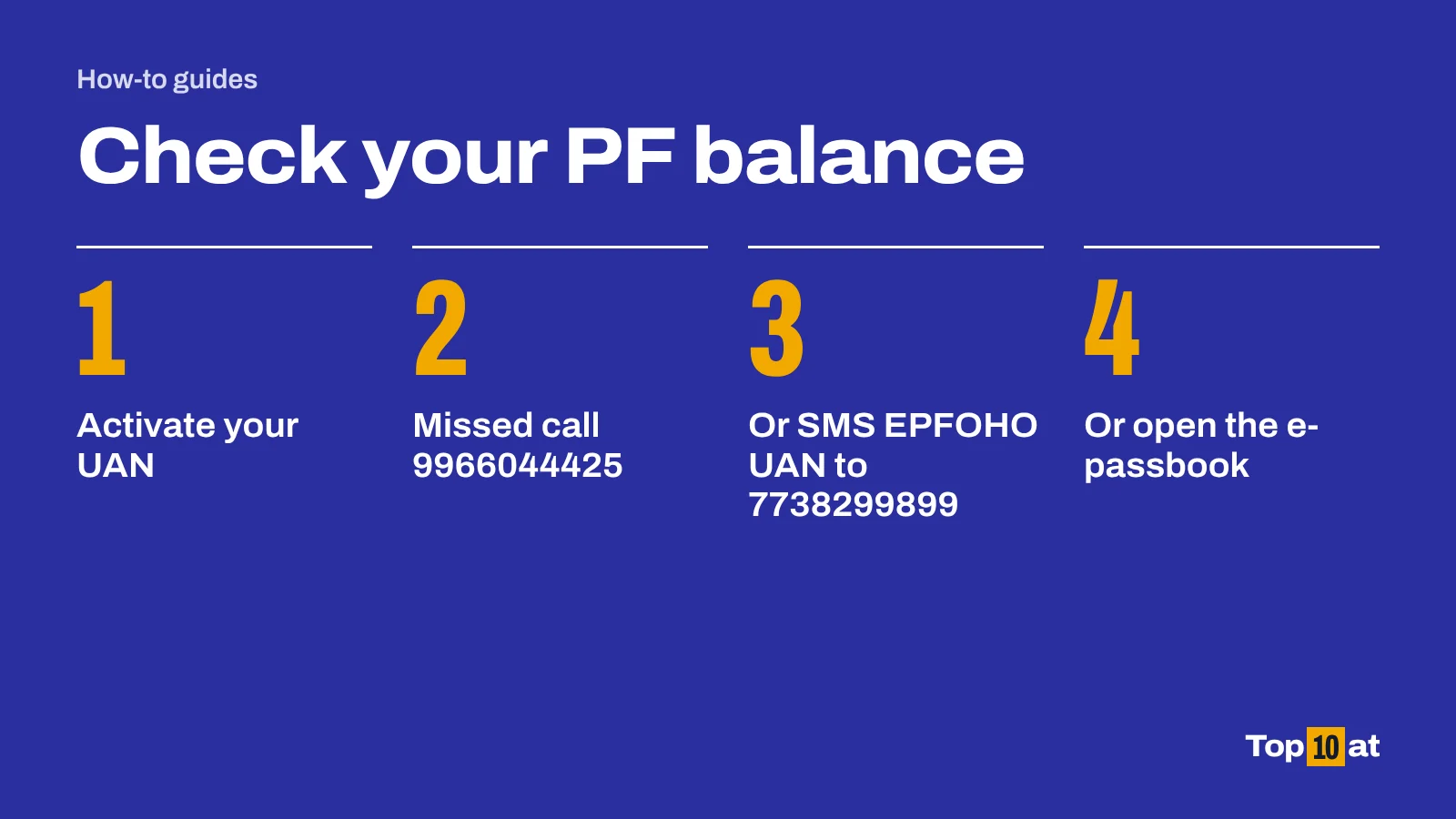
| Missed call | Call 9966044425 from your registered mobile | No | SMS with PF balance and linked KYC details |
| SMS | Text EPFOHO UAN to 7738299899 | No | SMS with last contribution and balance |
| e-Passbook | Log in to the EPFO member portal and download the passbook | Yes | Full statement of contributions |
| UMANG app | Open EPFO services and choose View Passbook | Yes | Full statement on your phone |
What you need before you start
- An activated UAN (Universal Account Number). Many employers print it on the salary slip.
- The mobile number that is registered with that UAN.
- For the missed call and SMS services: your UAN must be linked with at least one of your bank account number, Aadhaar or PAN.
Method 1: give a missed call
This works on any phone, including a basic handset, and costs nothing.
- Use the mobile number that is registered with your UAN.
- Call 9966044425.
- The call disconnects by itself after two rings.
- Wait for the SMS. It shows your PF balance and the KYC details linked to your account.
EPFO's member booklet also lists a second number for the same service, 011-22901406. Either should work.
Method 2: send an SMS
- Open a new message on your registered mobile.
- Type EPFOHO UAN. That is the message text EPFO gives for this service.
- To get the reply in another language, add the first three letters of the language. For Telugu, type EPFOHO UAN TEL.
- Send it to 7738299899.
- The reply shows your last PF contribution, your balance and the KYC details on record.
The service is available in English, Hindi, Punjabi, Gujarati, Marathi, Kannada, Telugu, Tamil, Malayalam and Bengali. English is the default.
Method 3: download your e-passbook
The passbook shows every monthly contribution, so use this method when you need more than the total.
- Go to the EPFO member portal, or directly to the passbook site at passbook.epfindia.gov.in.
- Log in with your UAN and password.
- Open Download and choose Download Passbook.
- If more than one Member ID is listed, pick the one you want to see.
Method 4: use the UMANG app
- Install UMANG, the Government of India's app for public services, and sign in.
- Search for EPFO.
- Under the services for employees, choose View Passbook.
- Follow the prompts to verify your UAN with a one-time password.
EPFO does not ask for OTPs by phone
These services are free. Nobody from EPFO needs your password or one-time password to show you your balance. Do not share either with a caller, and use only the official EPFO portal, the UMANG app or the two numbers above.
How to find your UAN if you do not know it
If your UAN is not on your salary slip, EPFO's member portal can show it to you.
- Go to the EPFO unified member portal and choose the option to know your UAN.
- Enter the mobile number registered with EPFO and click Get Authorization Pin.
- Enter the PIN sent to your phone.
- Enter your name and date of birth exactly as they appear in EPFO's records.
- Choose one of Aadhaar, PAN or Member ID, and enter that number.
- Click Show my UAN.
How to activate your UAN
A UAN has to be activated once before any of the online services will work. Activation is free. It cannot be done by SMS.
- On the EPFO member portal choose Activate UAN. In the UMANG app, choose UAN Activation under the employee services.
- Select UAN, Member ID, Aadhaar or PAN, and enter your details.
- Request the authorization PIN. It goes to the mobile number EPFO has for you.
- Enter the PIN and click Validate OTP and Activate UAN.
- EPFO sends a password to your mobile. Use it to log in, then change it.
If it does not work
- No SMS after the missed call. Check that you called from the mobile registered with your UAN, that the UAN is activated, and that at least one of your bank account, Aadhaar or PAN is linked to it. All three conditions must be met.
- Your mobile number has changed. Update the number EPFO holds for you first. The missed call and SMS services only answer the registered number.
- The passbook is empty or out of date. The passbook shows the contributions EPFO has recorded, and recent months can take time to appear.
- You cannot log in. Use the forgot password option on the member portal. If the problem continues, EPFO's help desk number is 14470.
About these steps
The steps follow the official guidance listed under Sources, which we read on 11 October 2026. Government and bank websites change their menus from time to time. If a button or menu has a different name when you try, look for the nearest match and check the official page.
Frequently asked questions
What is the missed call number for PF balance?
- Call from the mobile number registered with your UAN. The call disconnects after two rings and you receive an SMS with your balance.
How do I check my PF balance by SMS?
Send EPFOHO UAN to 7738299899 from your registered mobile. Add a three-letter language code after UAN, such as HIN or TAM, to get the reply in that language.
Can I check my PF balance without a UAN?
The four official methods all need an activated UAN. If you do not know yours, the EPFO member portal can show it once you verify your registered mobile number and one identity document.
Is there a charge for checking PF balance?
No. The missed call, SMS, passbook and UMANG services are free.
What is a UAN?
The Universal Account Number is a single permanent 12-digit number that EPFO gives each member. It links the separate Member IDs you get from different employers.
Sources
- Information booklet for EPF members, 1 November 2022, Employees' Provident Fund Organisation (EPFO). epfindia.gov.in. Accessed 11 October 2026. UAN, activation, Know your UAN, passbook, missed call and SMS services.
- UAN activated members can know PF balance through missed call and SMS alert, 12 March 2018, Press Information Bureau, Government of India. pib.gov.in. Accessed 11 October 2026. Conditions for the missed call and SMS services, and the language codes.
- Help, EPFO. epfindia.gov.in. Accessed 11 October 2026. Help desk number.