What you need before you start
- Your PAN.
- Your 12-digit Aadhaar number.
- For linking, not for the status check: a mobile number that can receive a one-time password.
Check the status without logging in
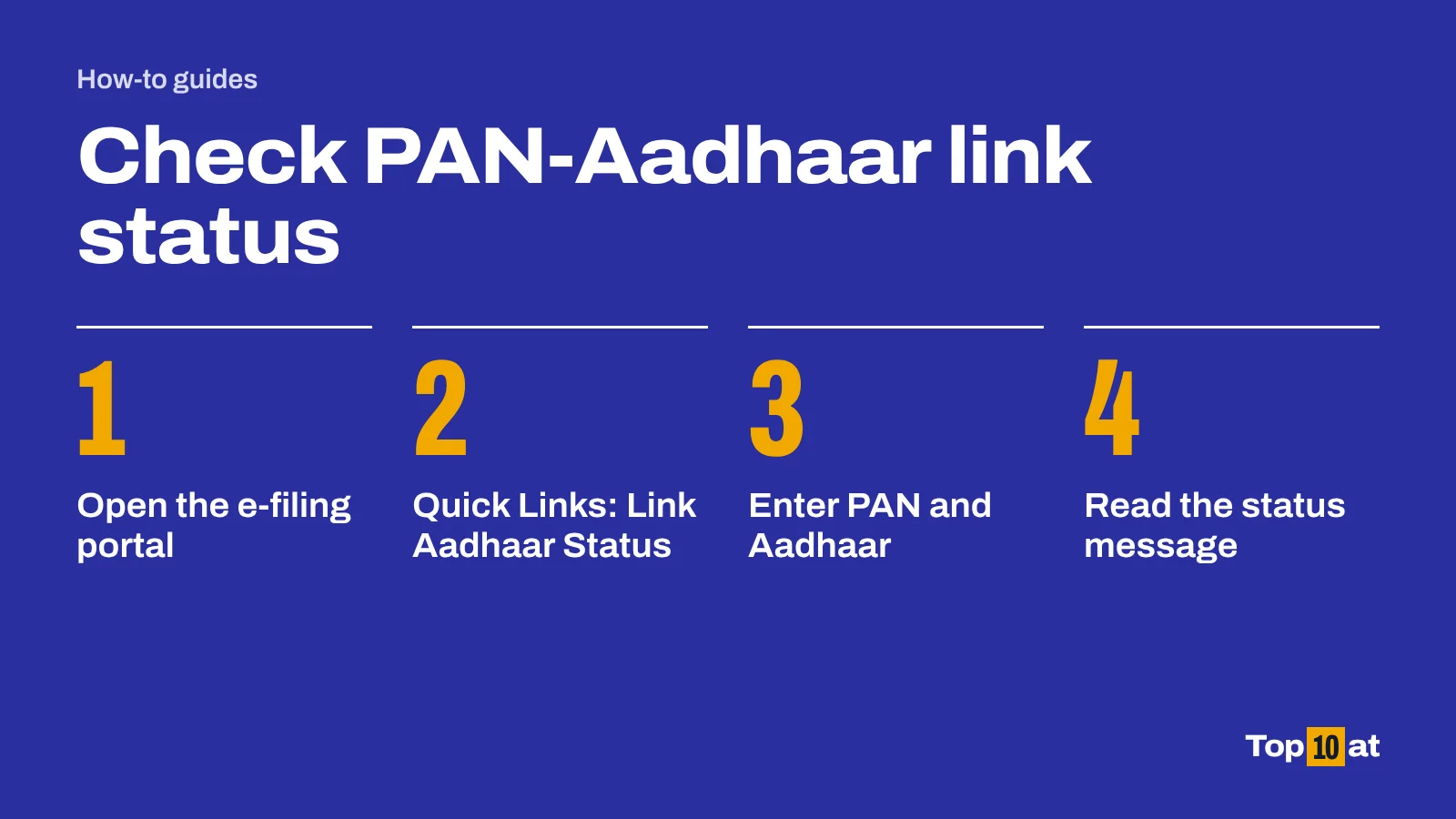
- Go to the e-filing portal at www.incometax.gov.in.
- On the home page, find Quick Links and click Link Aadhaar Status.
- Enter your PAN and your Aadhaar number.
- Click View Link Aadhaar Status.
- Read the message. It tells you whether the PAN is linked, or whether a linking request is still in progress.
Check the status after logging in
- Log in to the e-filing portal.
- On the Dashboard, click Link Aadhaar Status. You can also go to My Profile and choose Link Aadhaar Status.
- If your Aadhaar is linked, the portal shows the Aadhaar number. If it is not, it shows the option to link.
Use only the official portal
The status check is free and the only fee for linking is the ₹1,000 paid through e-Pay Tax on the income tax portal. Be wary of websites, messages or callers that offer to link your PAN for a charge or ask for your one-time password.
If your PAN is not linked: how to link it
Linking is a two-part process. You pay the fee first, then submit the request.
- On the e-filing home page, click Link Aadhaar under Quick Links.
- Enter your PAN and Aadhaar number, then click Continue to Pay Through e-Pay Tax.
- Confirm your PAN, enter your mobile number and verify the one-time password.
- On the e-Pay Tax page, click Proceed on the Income Tax tile.
- Select the assessment year and set the type of payment to Other Receipts (500). The amount is filled in for you.
- Generate the challan and pay through your bank.
- Return to Link Aadhaar, enter your PAN and Aadhaar again and click Validate. When the portal confirms the payment, fill in the remaining details and click Link Aadhaar.
- Enter the six-digit one-time password to submit the request.
If the portal says it cannot find your payment, wait four to five working days and try again. Payments take time to show up.
What happens when a PAN is inoperative
Under section 139AA of the Income-tax Act, a PAN that was not linked to Aadhaar by 30 June 2023 became inoperative. The Income Tax Department lists four consequences, which last until the PAN is made operative again:
- Tax refunds are not paid.
- No interest is paid on a refund for the period the PAN was inoperative.
- Tax deducted at source is deducted at a higher rate.
- Tax collected at source is collected at a higher rate.
Who does not have to link
The requirement does not apply to:
- residents of Assam, Jammu and Kashmir, and Meghalaya
- non-residents, as defined in the Income-tax Act
- anyone aged 80 or more at any time during the previous year
- people who are not citizens of India
People in these groups can still link voluntarily, and the fee applies if they do.
If linking fails because your details do not match
Linking fails when your name or date of birth differs between the PAN and Aadhaar records. Correct whichever record is wrong.
- For PAN details, apply for a correction through Protean or UTIITSL, the two PAN service providers.
- For Aadhaar details, apply through UIDAI.
If linking still fails after the records match, the department advises visiting a PAN service centre for biometric authentication. Take your PAN, your Aadhaar and a copy of the ₹1,000 fee challan.
About these steps
The steps follow the official guidance listed under Sources, which we read on 11 October 2026. Government and bank websites change their menus from time to time. If a button or menu has a different name when you try, look for the nearest match and check the official page.
Frequently asked questions
How do I check if my PAN is linked with Aadhaar?
On the income tax e-filing portal, click Link Aadhaar Status under Quick Links, enter your PAN and Aadhaar number, and click View Link Aadhaar Status. No login is needed.
What is the fee for linking PAN with Aadhaar?
₹1,000, paid through e-Pay Tax on the e-filing portal under the payment type Other Receipts (500).
What happens if PAN is not linked with Aadhaar?
The PAN becomes inoperative. Refunds are not paid, no interest accrues on them for that period, and tax is deducted and collected at source at higher rates until the PAN is operative again.
Who is exempt from linking PAN and Aadhaar?
Residents of Assam, Jammu and Kashmir and Meghalaya, non-residents under the Income-tax Act, people aged 80 or more, and people who are not citizens of India.
The portal says my payment was not found. What should I do?
Wait four to five working days after paying the fee and then submit the linking request again.
Sources
- Link Aadhaar user manual, Income Tax Department, e-Filing portal. incometax.gov.in. Accessed 11 October 2026. Steps to check status, pay the fee and submit a linking request.
- Link Aadhaar: frequently asked questions, Income Tax Department, e-Filing portal. incometax.gov.in. Accessed 11 October 2026. Who must link, who is exempt, the fee, and the consequences of an inoperative PAN.